
Most review tools look great in a sales video and confusing on day one. So here is the honest version: every main screen in Localena, what it shows, and what you would actually do there. All screenshots come from our demo account, a sample coffee shop called Sunny Cafe. You can open the same demo and click around while you read.
1. The dashboard: results since joining
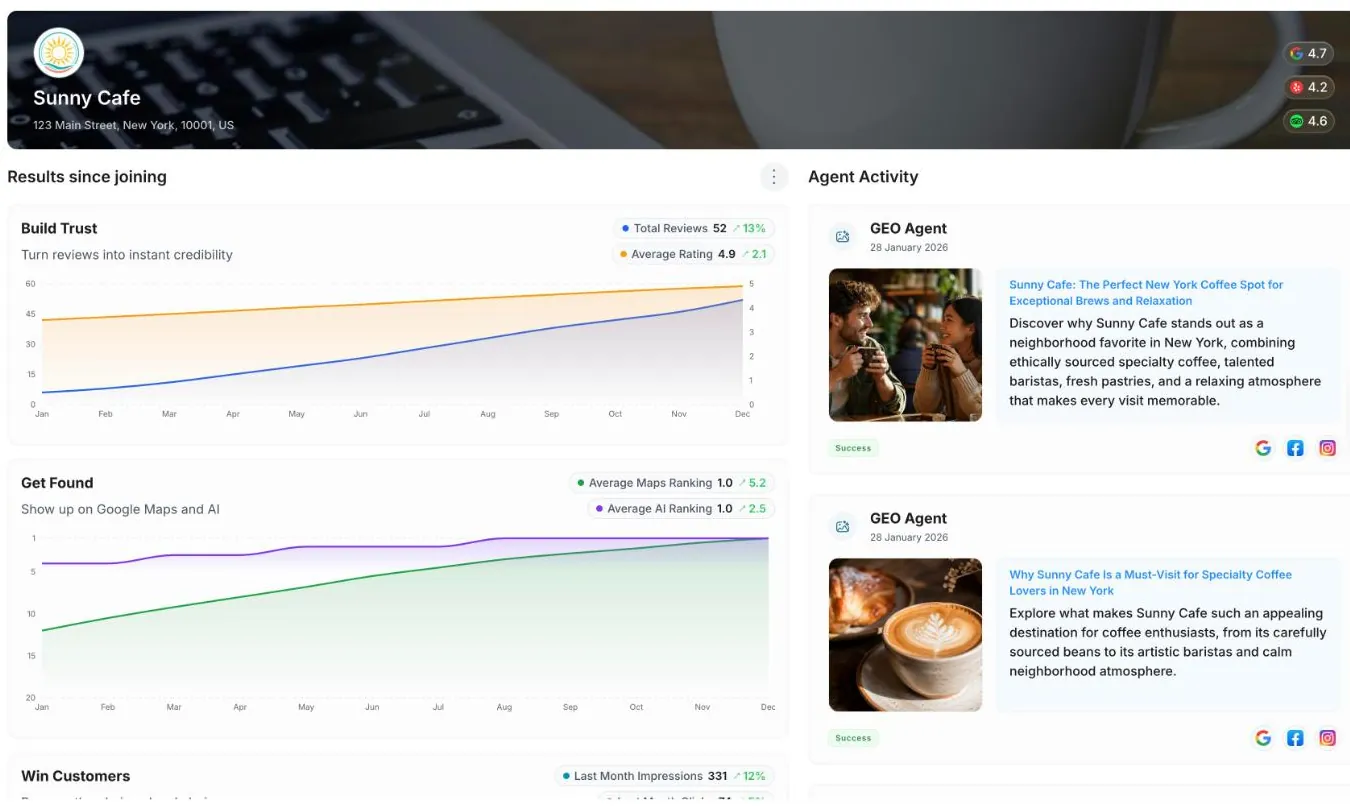
The home screen answers one question: is this working? The left side tracks three things month by month since you joined. Build trust shows your total reviews and average rating. Get found shows your average position on Google Maps and in AI answers. Win customers shows how many people saw and clicked your Google profile.
The right side is the activity feed. Localena runs small automated helpers we call agents: one replies to reviews, one turns reviews into social posts, one writes local articles. Everything they did shows up here, so nothing happens behind your back.
2. Reviews: one feed for every site
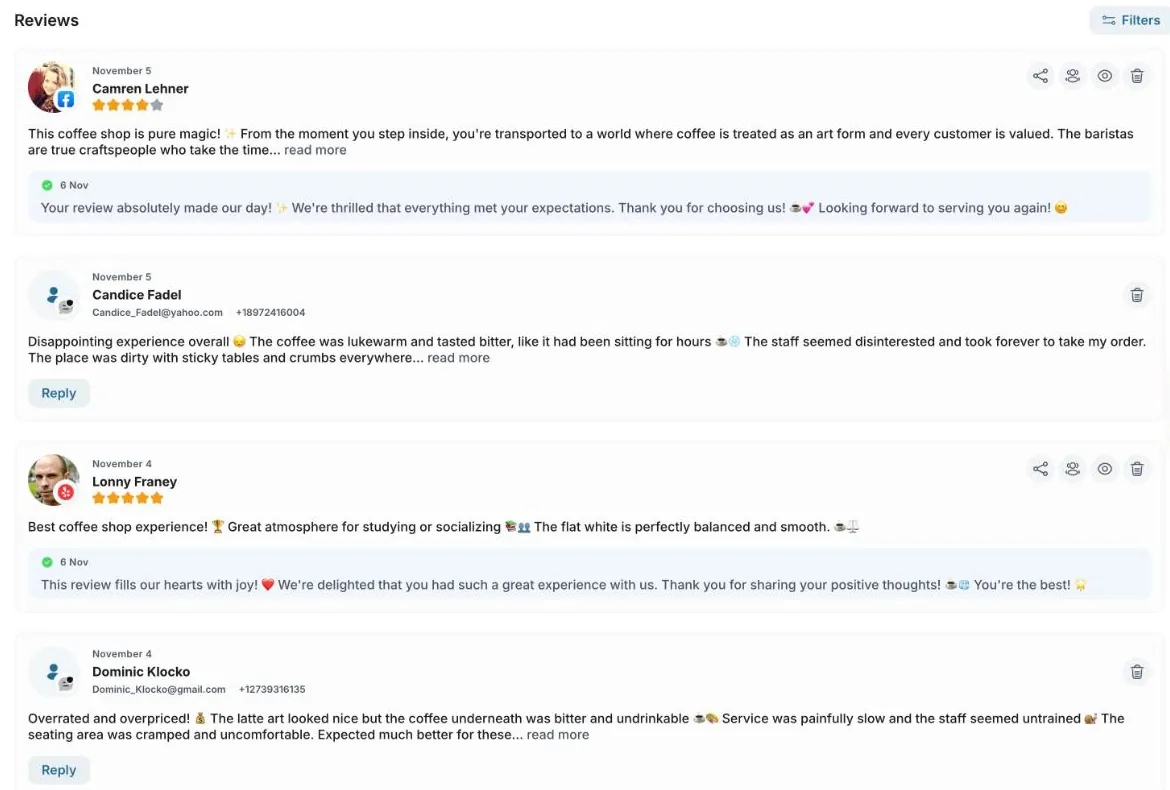
Reviews from Google and your other connected sites arrive in one list. Under each review you see the reply, and whether it has been posted. Reviews that came in privately (through your review page, see below) show the customer's contact details, so you can call them and fix the problem.
Replies are written by the reply agent in the tone you choose. You decide whether replies post by themselves or wait for your OK. Read more in how to reply to Google reviews.
3. Sentiment: what customers keep saying
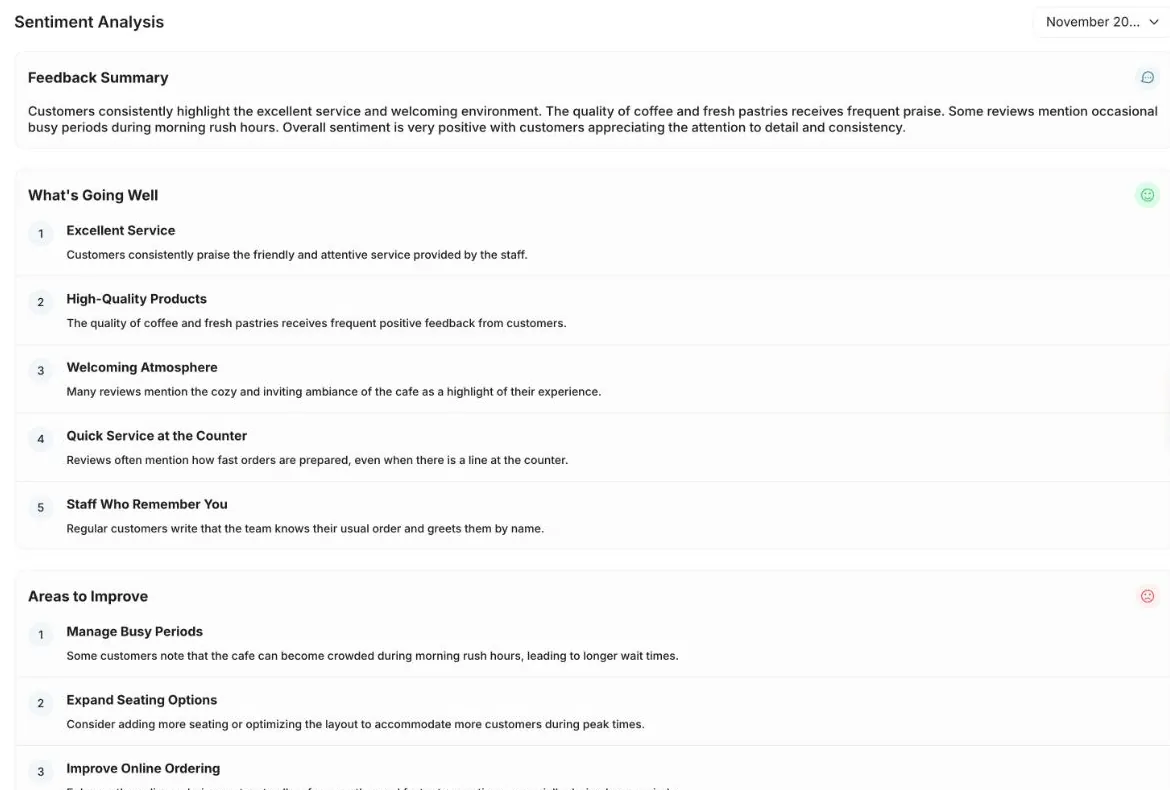
Once a month Localena reads all your reviews and writes a short summary: the top five things people praise, the top five complaints, and an action plan sorted by priority. It is the fastest way to know what to fix first.
4. Performance: your numbers and your next goal
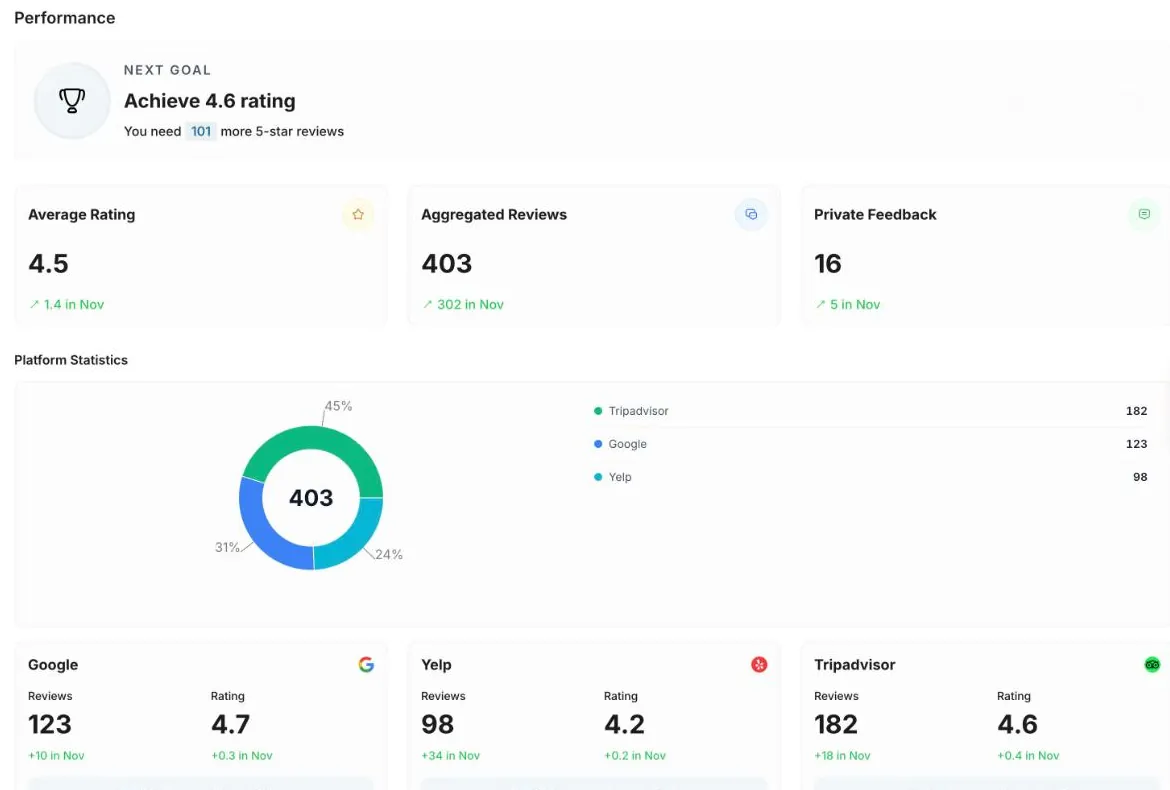
The goal at the top is surprisingly motivating for a team: "You need 12 more 5-star reviews to reach 4.8 on Google" is something everyone understands.
5. Requests: asking every customer
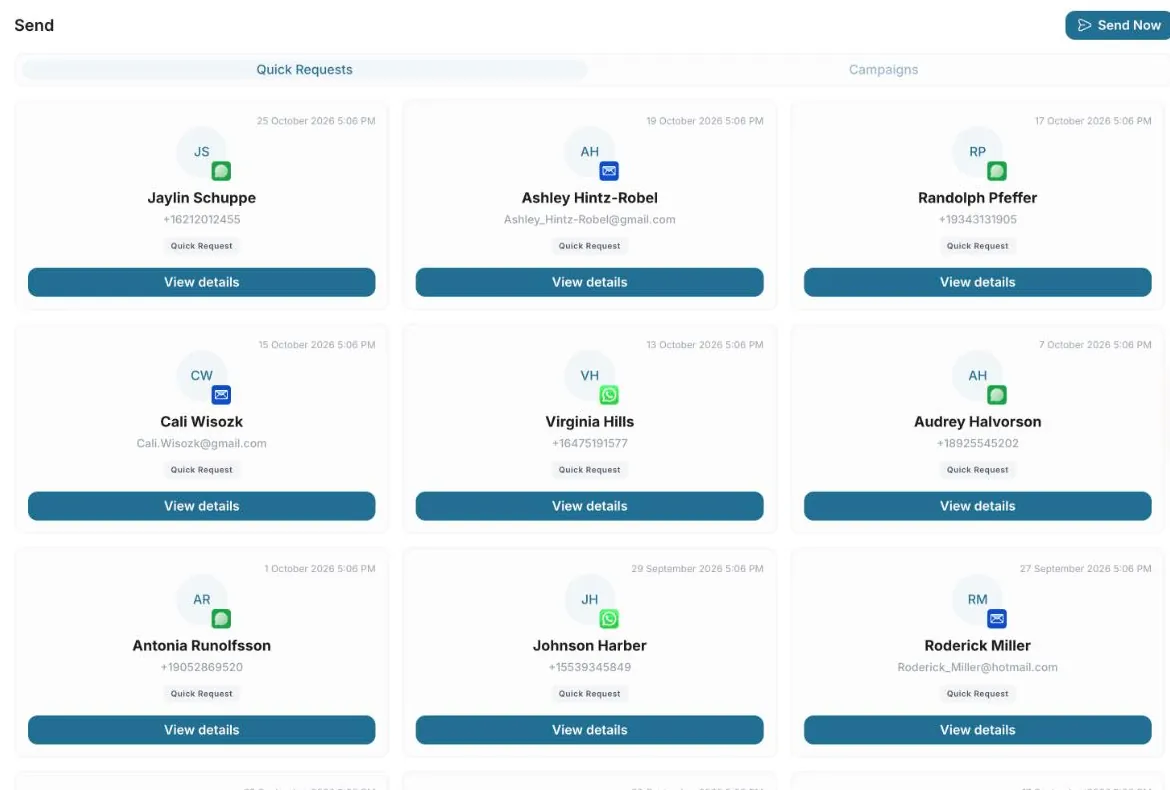
The Requests section is where new reviews come from. Send lets you text or email one customer in seconds, or run a campaign to a list. Templates holds your message wording. Contacts keeps the people you have asked. Analytics shows how many requests were sent, delivered and clicked, and where visits to your review page came from.
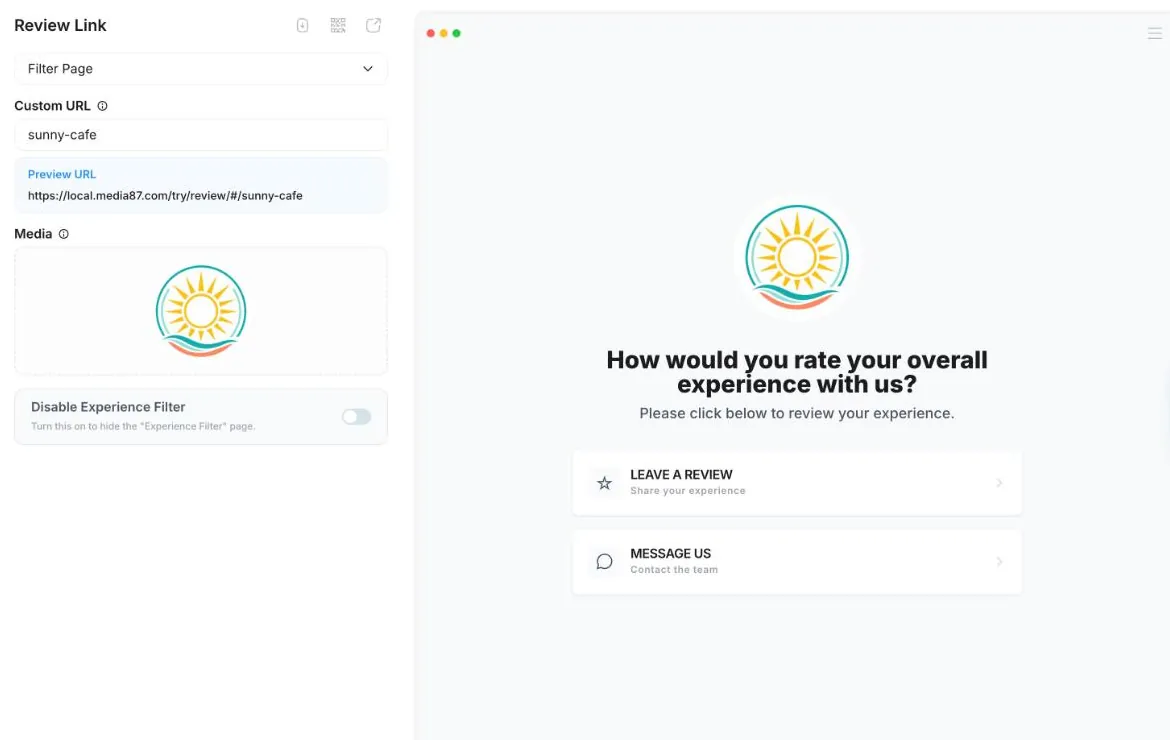
Link is your own review page with a short address and a QR code for receipts, tables and counters. Every customer can leave a public review. We never hide the review button from unhappy customers; that practice is called review gating and it breaks Google's rules. More in how to get more Google reviews.
6. Visibility: Google Maps and AI answers
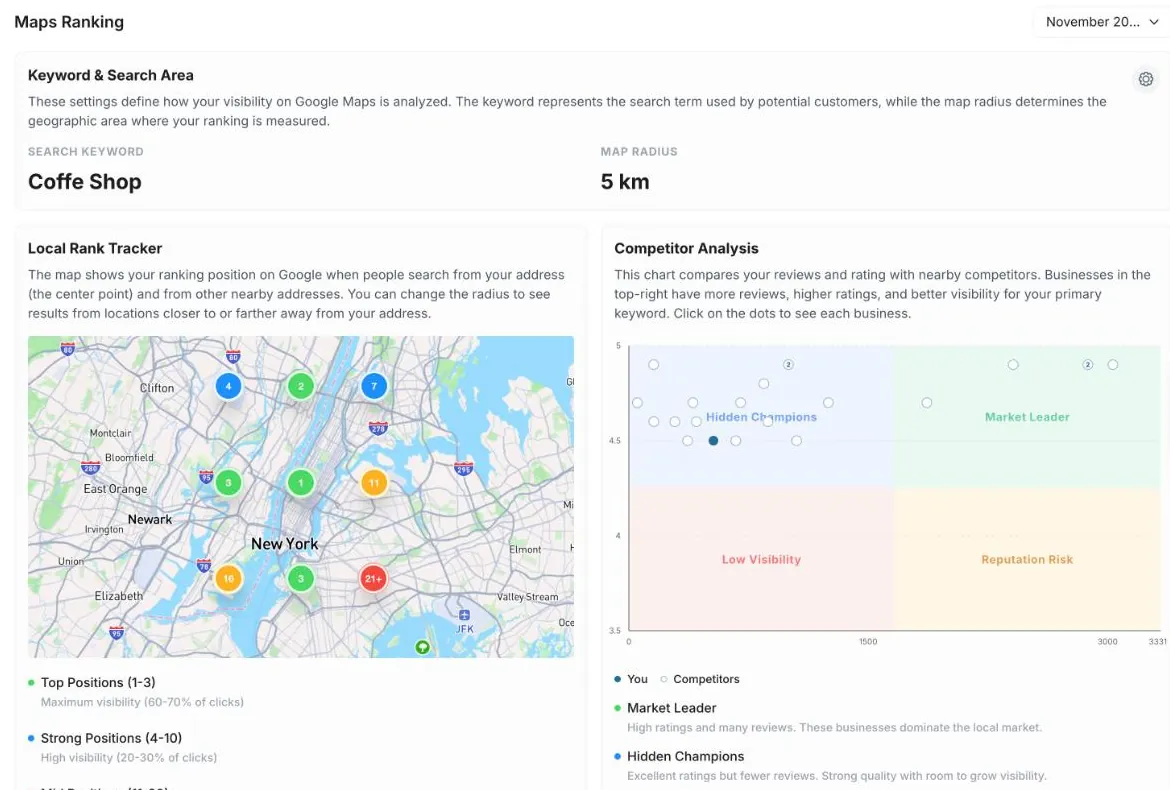
Maps ranking searches your main keyword from points all around your address and puts your position on a map. Green is top 3, red is off the first page. The chart next to it places you among nearby competitors by rating and review count. See how Google Maps ranking works.
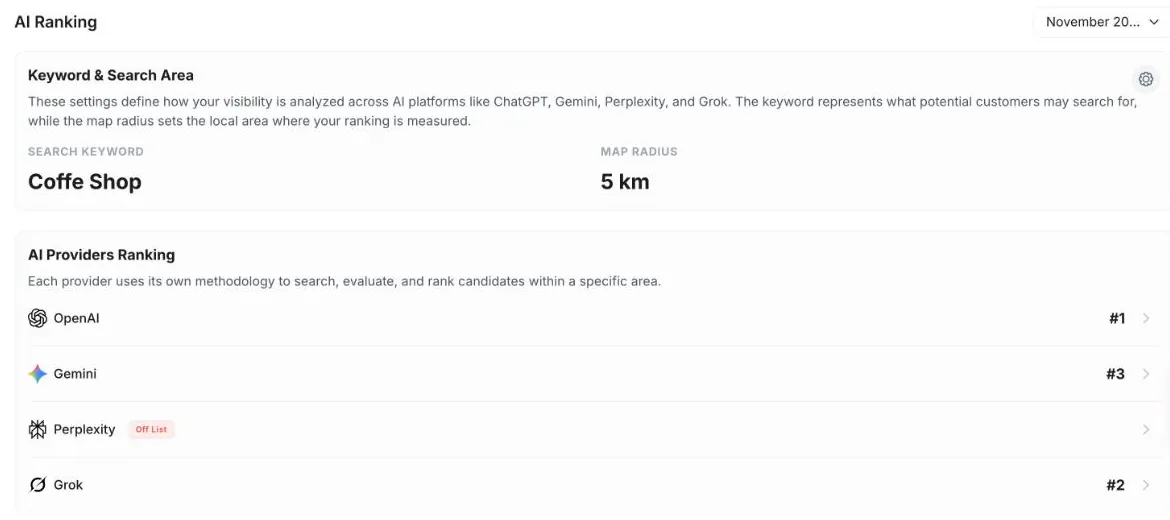
AI ranking does the same for AI assistants: when someone asks for your keyword in your area, which position do you get? The GEO agent then writes local articles from what customers praise, to give those tools more to work with. More in how to show up in AI answers.
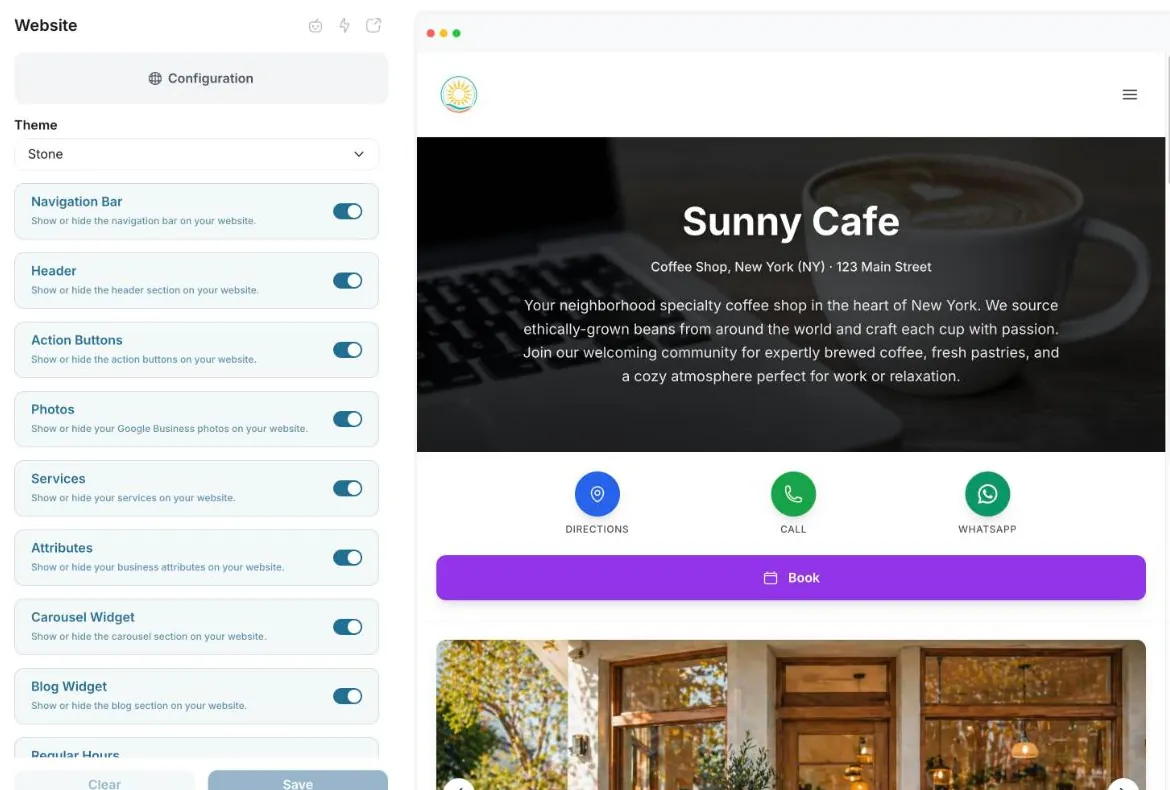
Under Profile you will also find Website, a simple mobile site built from your Google profile (on the Pro plan), and Widgets, which put your reviews on the website you already have.
7. Social: reviews become posts
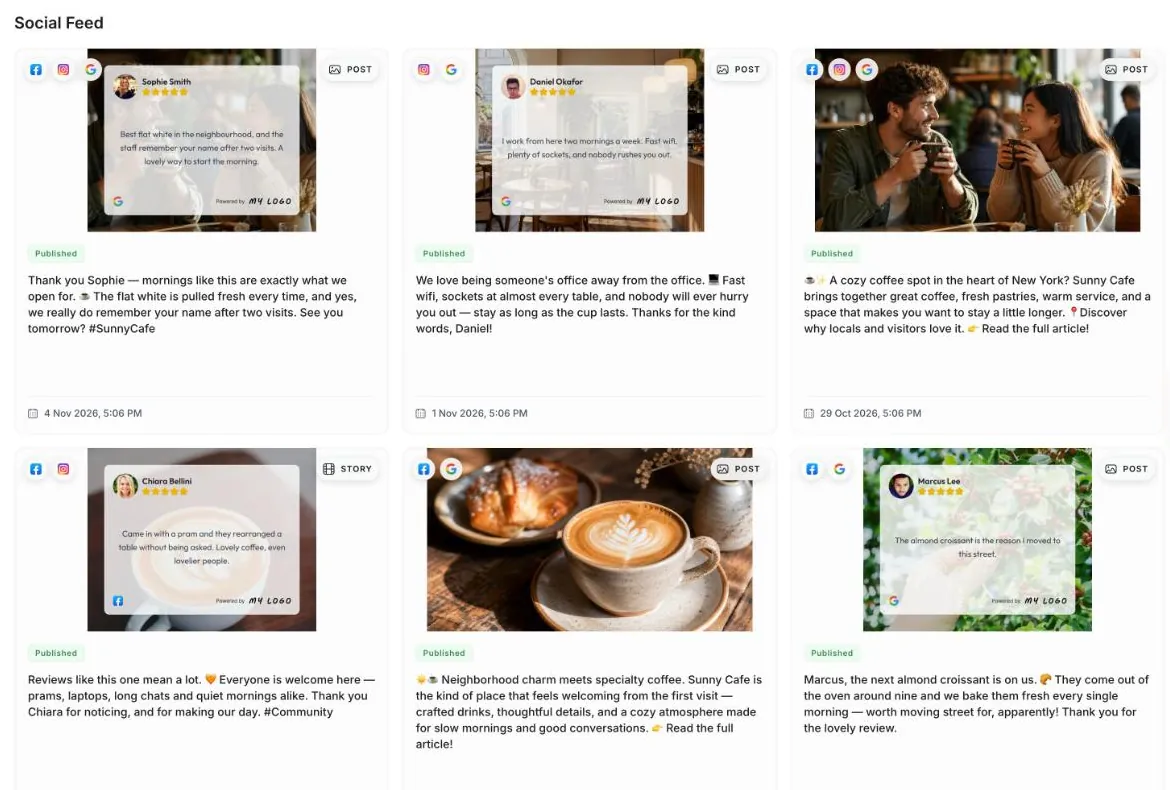
The social agent picks good reviews, designs a quote image and writes a caption in your voice. You can let it publish, or check each post first. See turning reviews into social posts.
8. Employees: who earns the praise
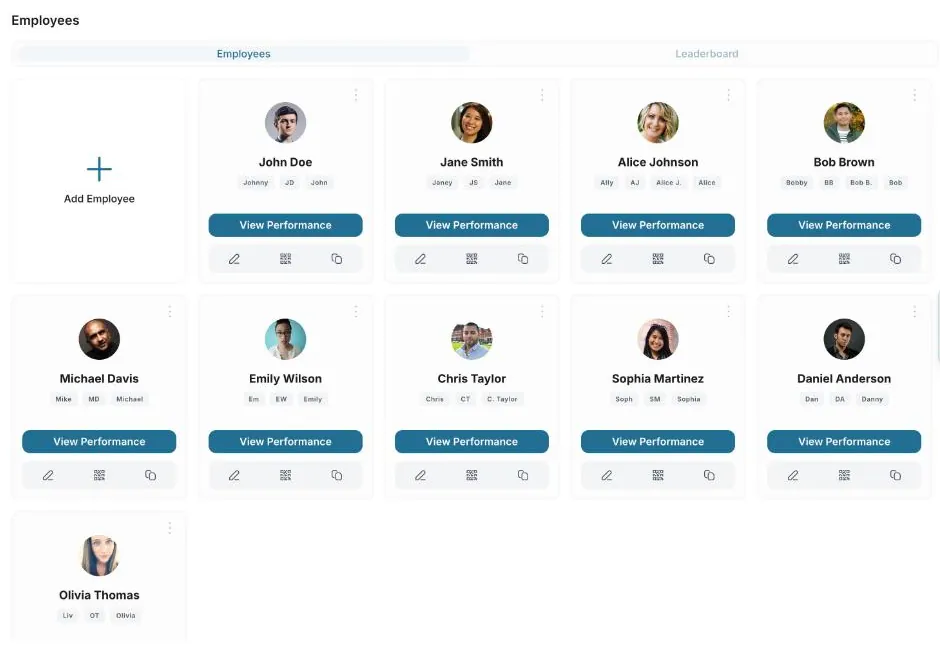
Add your team with their nicknames. Each person gets a personal review link, and Localena spots their names in reviews, so the leaderboard shows who customers mention most. More in reviews for teams and locations.
What you actually need to do
After the 15-minute setup call, very little. Most owners check the dashboard once a week, read the monthly sentiment summary, and send review requests (or let them go out automatically). Everything else runs in the background.